> For the complete documentation index, see [llms.txt](https://docs.radiusaas.com/llms.txt). Markdown versions of documentation pages are available by appending `.md` to page URLs; this page is available as [Markdown](https://docs.radiusaas.com/de/admin-portal/settings/log-exporter.md).
# Log Exporter
Der Log Exporter ermöglicht es Ihnen, RADIUSaaS-Protokolle an ein externes Security Information and Event Management-(SIEM)-System zur Überwachung und Alarmierung zu senden.
## Allgemein
Protokolle werden **alle 60 Sekunden abgerufen** und an Ihre konfigurierten **Export-Ziel(e)**gesendet. Der Log Exporter kann derzeit mit den folgenden Zielsystemen verbunden werden:
* [Microsoft Teams-Kanal](/de/admin-portal/settings/log-exporter/teams.md)
* [Azure Log Analytics Workspace](/de/admin-portal/settings/log-exporter/log-analytics.md)
* [Generischer Webhook (JSON)](/de/admin-portal/settings/log-exporter/generic-webhook.md)
Der Log Exporter ermöglicht es Ihnen, einen spezifischen **Nachrichtenfilter** für jedes Ziel zu konfigurieren. Zum Beispiel:
* Sende jeden Eintrag, bei dem sich ein Benutzer nicht anmelden konnte, an einen **Log Analytics Workspace**
* Sende jede fehlgeschlagene TCP-Verbindung an einen **Microsoft Teams-Kanal**
## Nachrichtenfilter
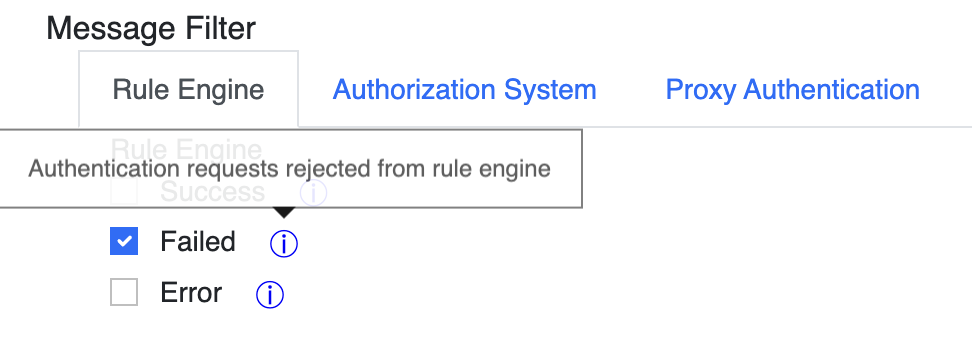
Die **Nachrichtenfilter** das für jedes Ziel konfiguriert werden kann, hilft Ihnen dabei, nur jene Protokolle zu erhalten, die für Ihr Monitoring- und Alarmsystem wirklich relevant sind.
Der Filter kann so konfiguriert werden, dass nur Protokolle aus bestimmten Quellen/Subsystemen der RADIUSaaS-Plattform berücksichtigt werden:
* Rule Engine
* Authorization System
* Proxy Authentication
Darüber hinaus kann das Protokollniveau für jedes dieser Subsysteme konfiguriert werden.
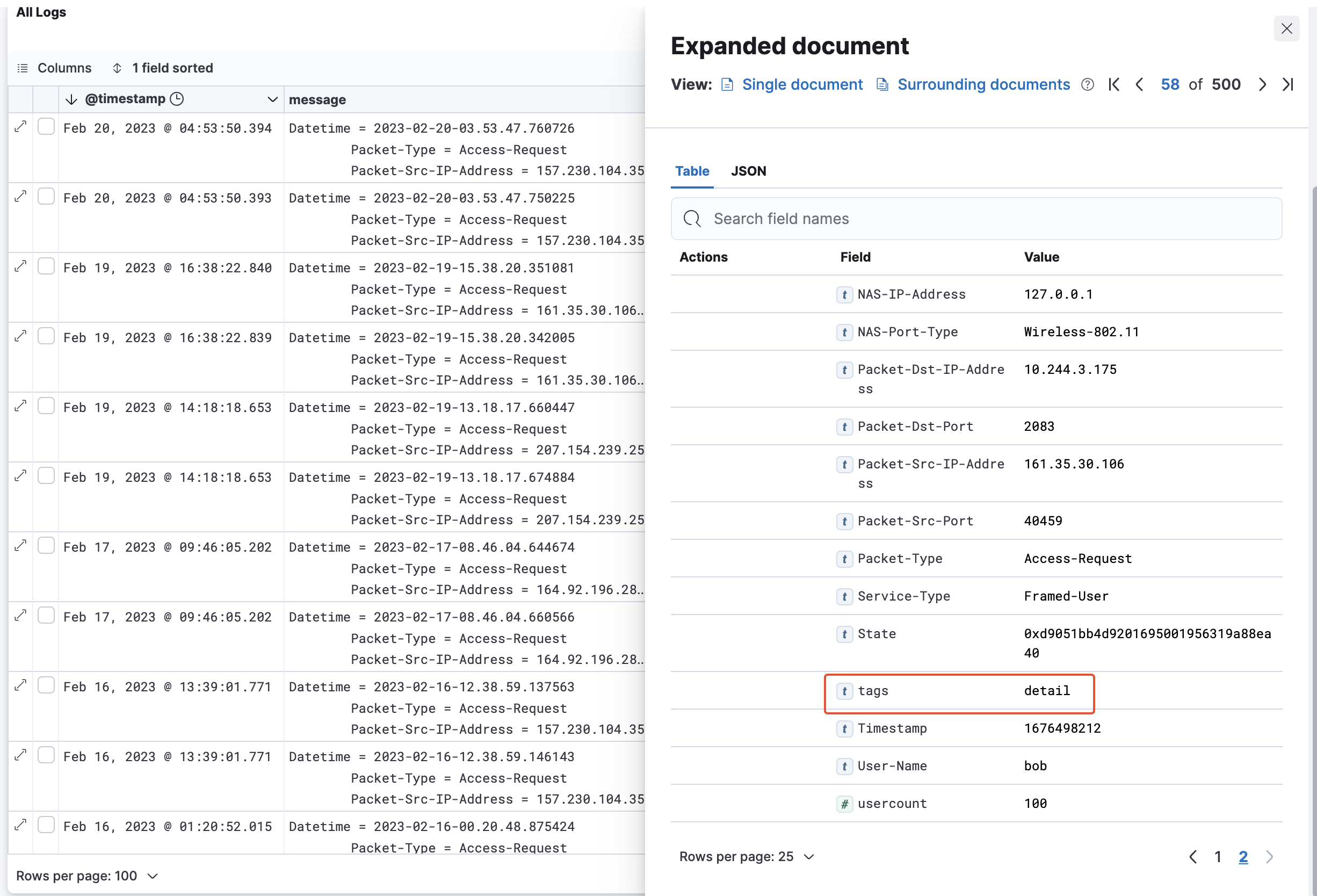
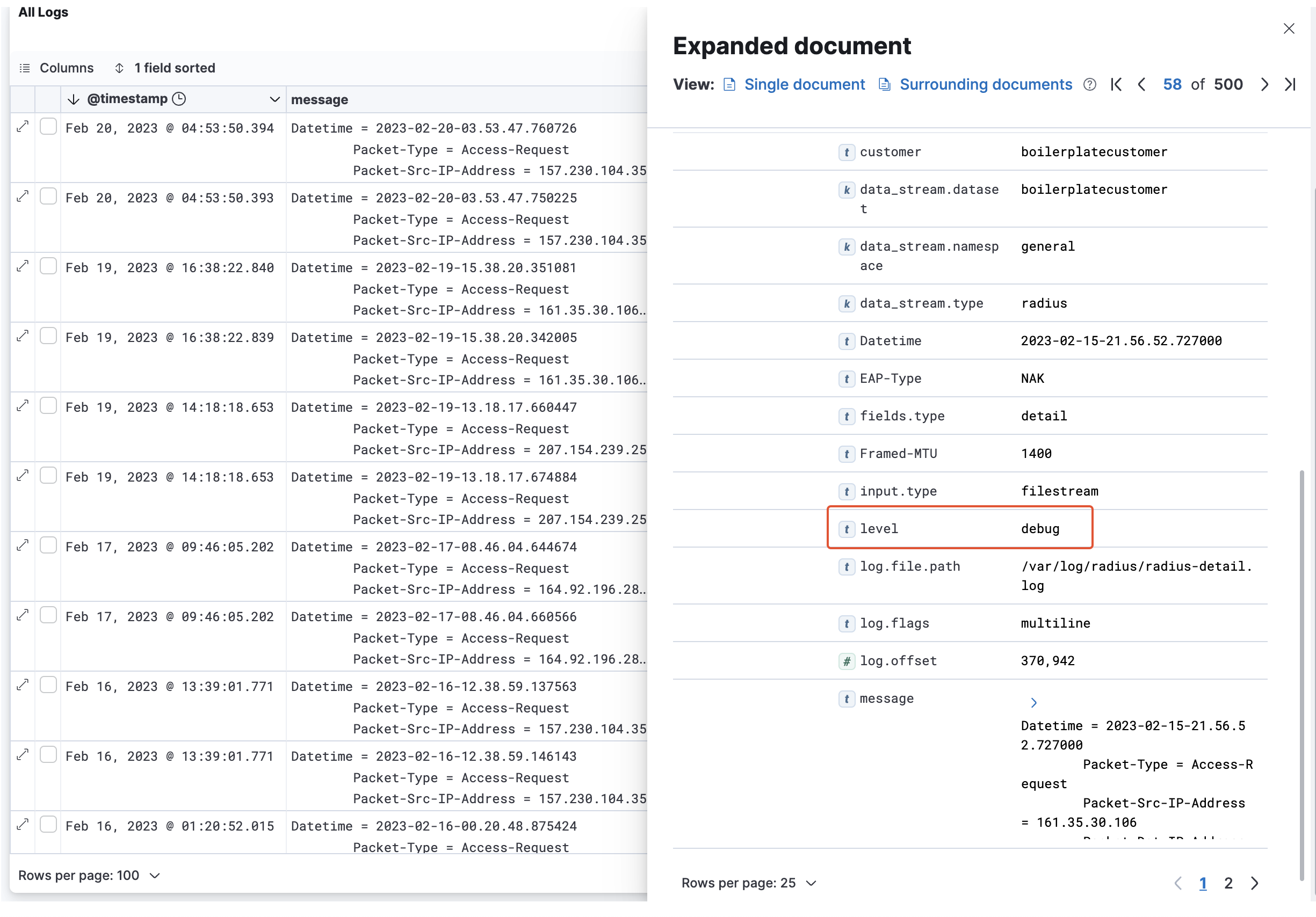
Wenn Sie mit dem Lesen der Rohprotokolldaten von RADIUSaaS' vertraut sind [Rohprotokolldaten](/de/admin-portal/insights/log.md) und bereits eine Reihe von Nachrichten identifiziert haben, die für Sie interessant sind, können Sie aus diesen Nachrichten sehr einfach die geeigneten Filtereinstellungen für den Export ableiten. Daher bietet die folgende Tabelle eine Zuordnung vom Ursprung der Protokollnachricht (Subsystem) zu den `Tags` Eigenschaft sowie vom Protokolllevel zur `Level` Eigenschaft jeder Protokollnachricht.
| Filter | Tag | Level |
| -------------------- | -------- | ---------------------------------------------------------------------------------------------------------------------------------------------- |
| Rule Engine | `Engine` |
Erfolg = INFO Fehlgeschlagen = WARNING Fehler = ERROR
|
| Authorization System | `Detail` |
Anfragen = debug Erfolg = info Fehlgeschlagen = warning Fehler = error
|
| Proxy Authentication | `Proxy` |
Verbindungen = debug Erfolg = info Fehlgeschlagen = warning Fehler = error
|
## Nachricht
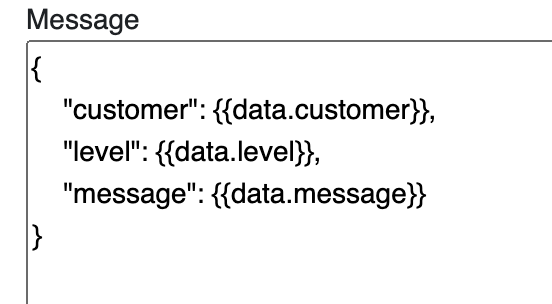
Unabhängig davon, welchen Zieltyp bzw. welche Zieltypen Sie ausgewählt haben, müssen Sie die Datenvorlage bearbeiten, die beschreibt, wie die Exportnachricht strukturiert sein soll, unter Verwendung von **Jinja2** als Template-Engine:\
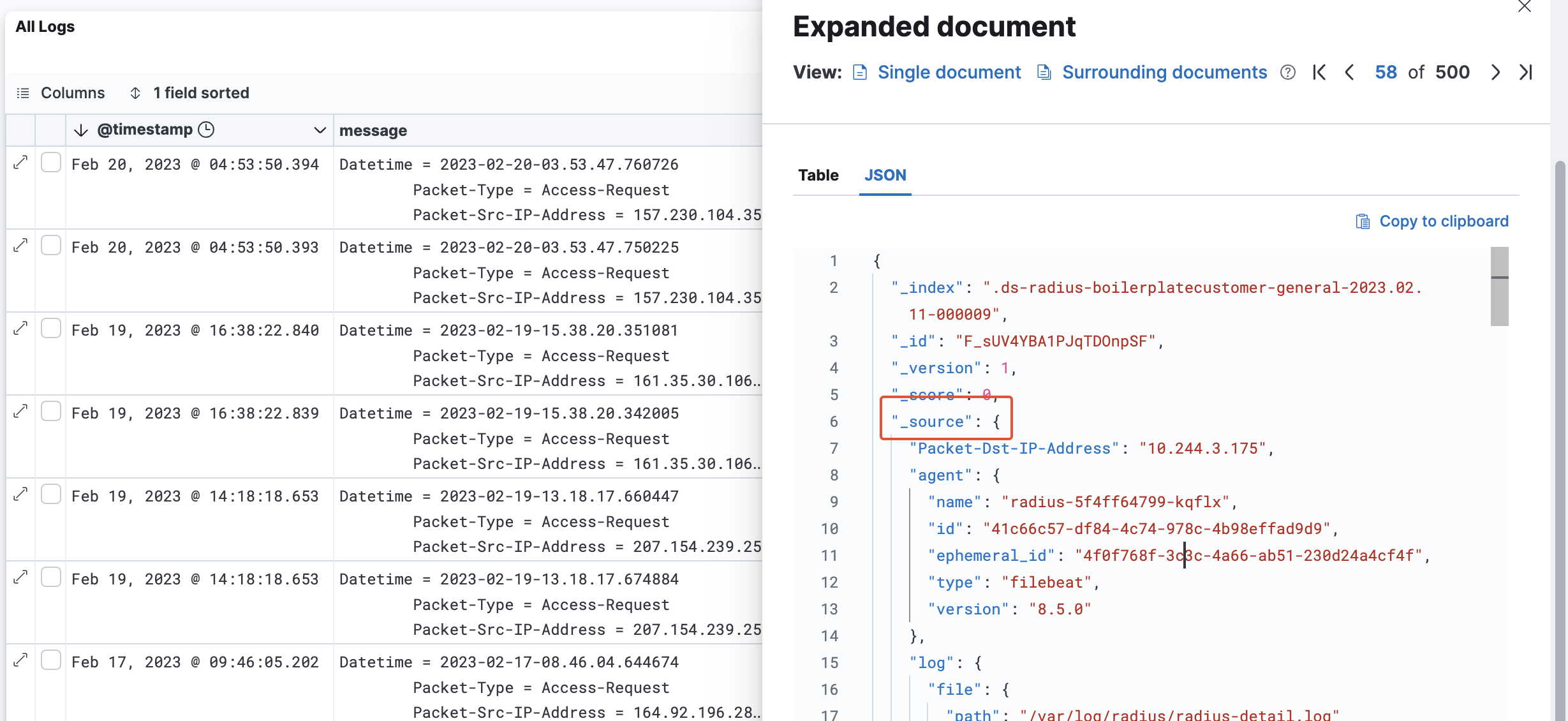
Der Log Exporter hat Zugriff auf jedes Feld in einer Protokollnachricht, das hierarchisch unter der`_source` Eigenschaft liegt. Es wird über das `data` Objekt im **Nachricht** Editor bereitgestellt.
---
# Agent Instructions
This documentation is published with GitBook. GitBook is the documentation platform designed so that both humans and AI agents can read, navigate, and reason over technical content effectively. Learn more at gitbook.com.
## Querying This Documentation
If you need additional information that is not directly available in this page, you can query the documentation by asking a question.
Perform an HTTP GET request on the following URL with the `ask` and `goal` query parameters:
```
GET https://docs.radiusaas.com/de/admin-portal/settings/log-exporter.md?ask=&goal=
```
`ask` is the immediate question: it should be specific, self-contained, and written in natural language.
`goal` is what the user is ultimately trying to achieve, the reason they need the answer. Sharing it helps GitBook give you a better, more relevant answer. A goal is most helpful when it describes the outcome the user wants rather than restating the question. For example, with `ask=how do I create an API token`, a goal like `automate deployments from our CI pipeline` lets GitBook tailor the answer to that use case.
The response will contain a direct answer to the question and relevant excerpts and sources from the documentation.
Use this mechanism when the answer is not explicitly present in the current page, you need clarification or additional context, or you want to retrieve related documentation sections.