# ログエクスポーター

## 一般

ログは **60秒ごとに取得され** 構成済みの **エクスポート先**に送信されます。現在、Log Exporter は次のターゲットシステムに接続できます:

* [Microsoft Teams チャンネル](/ja/ptaru/settings/log-exporter/teams.md)
* [Azure Log Analytics Workspace](/ja/ptaru/settings/log-exporter/log-analytics.md)
* [汎用 Webhook（JSON）](/ja/ptaru/settings/log-exporter/generic-webhook.md)

Log Exporter を使用すると、各ターゲットごとに特定の **メッセージ フィルター** を構成できます。たとえば:&#x20;

* ユーザーがログインできなかったすべてのエントリを **Log Analytics Workspace**
* への送信に設定する **Microsoft Teams チャンネル**

## メッセージ フィルター

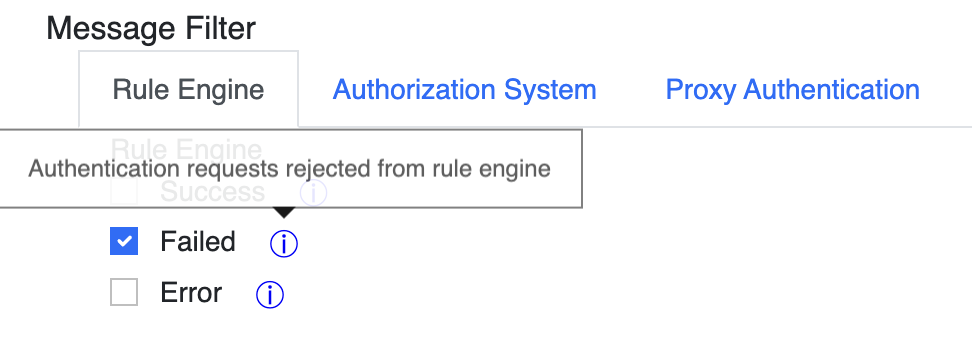
この **メッセージ フィルター** 各ターゲットごとに構成できるこのフィルターにより、監視およびアラート システムに本当に必要なログだけを受信できます。

<figure><img src="/files/03c5967ce8adc23b9ff35f8ed1ca5a379d5b7c8e" alt=""><figcaption></figcaption></figure>

フィルターは、RADIUSaaS プラットフォームの特定のソース/サブシステムからのログのみを対象にするよう構成できます:

* ルール エンジン
* 認証システム
* プロキシ認証

さらに、各サブシステムごとにログ レベルを構成できます。

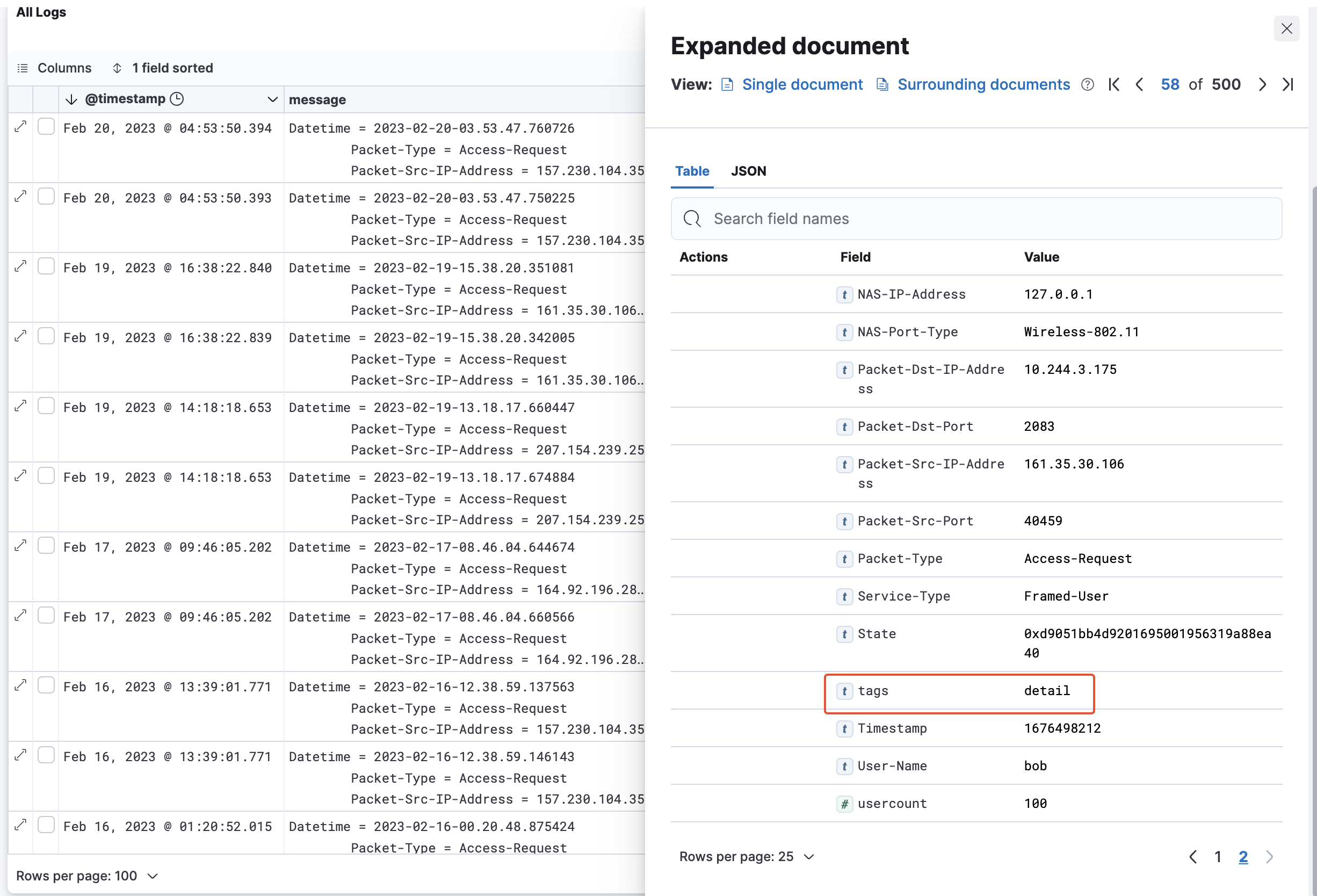
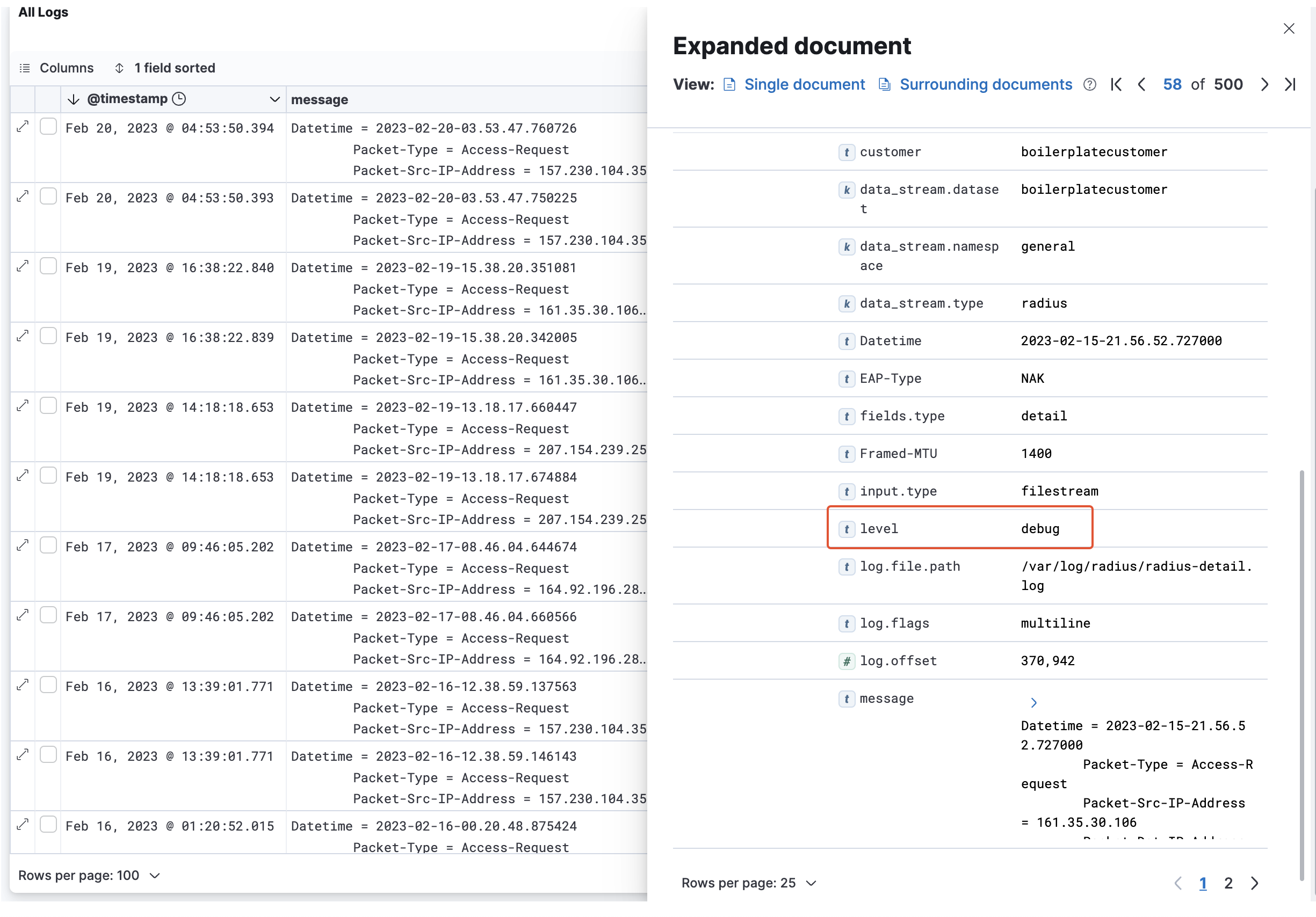
RADIUSaaS の [生ログ データ](/ja/ptaru/insights/log.md) の読み方に慣れていて、すでに興味のあるメッセージのセットを特定している場合は、それらのメッセージからエクスポートに適したフィルター設定を簡単に導き出せます。したがって、以下の表では、ログ メッセージの発生元（サブシステム）から `タグ` プロパティ、およびログ レベルから各ログ メッセージの `レベル` プロパティへの対応関係を示します。

| フィルター    | タグ     | レベル                                                                                                                                   |
| -------- | ------ | ------------------------------------------------------------------------------------------------------------------------------------- |
| ルール エンジン | `エンジン` | <p>Success = <code>INFO</code><br>Failed = <code>WARNING</code><br>Error = <code>ERROR</code></p>                                     |
| 認証システム   | `詳細`   | <p>Requests = <code>debug</code><br>Success = <code>info</code><br>Failed = <code>warning</code><br>Error = <code>error</code></p>    |
| プロキシ認証   | `プロキシ` | <p>Connections = <code>debug</code><br>Success = <code>info</code><br>Failed = <code>warning</code><br>Error = <code>error</code></p> |

<figure><img src="/files/b9334af894489e10ea8959430993de638aee8e81" alt=""><figcaption></figcaption></figure>

<figure><img src="/files/f3769d7508514addcb5a11889c95a39bb67813d8" alt=""><figcaption></figcaption></figure>

## メッセージ

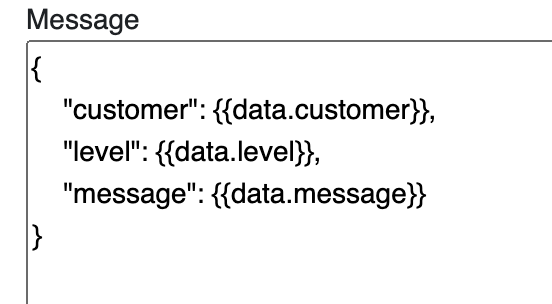
どのターゲット タイプを選択していても、エクスポート メッセージの構造を定義するデータ テンプレートを **Jinja2** をテンプレート エンジンとして使用して編集する必要があります:\
<https://jinja.palletsprojects.com/en/3.1.x/templates/>

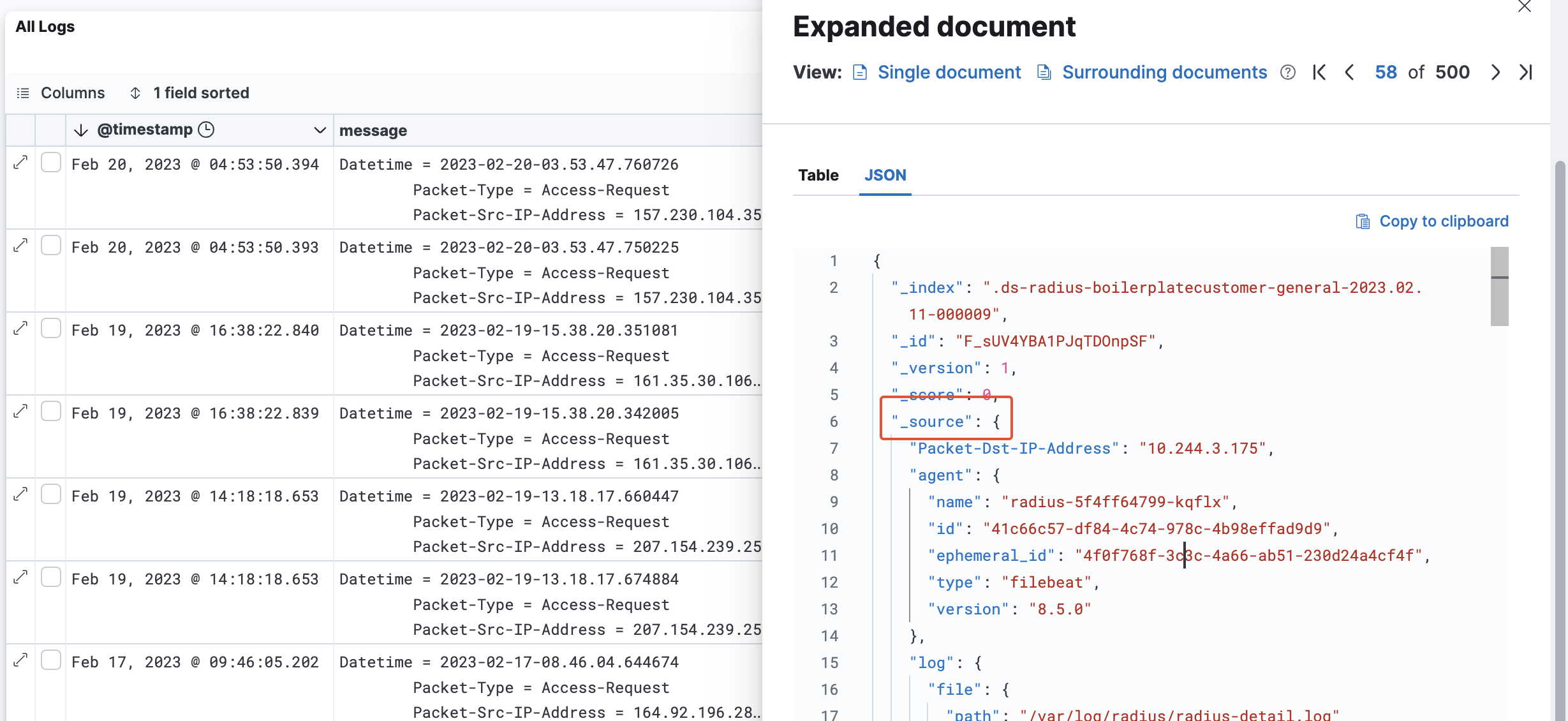
Log Exporter は、`_source` プロパティの下に階層的に配置されたログ メッセージ内のすべてのフィールドにアクセスできます。これは `data` オブジェクトを通じて **メッセージ** エディター内で利用可能になります。

<figure><img src="/files/e79852bd041a49aecaecf5d628cf68c30ac1d509" alt=""><figcaption></figcaption></figure>

<figure><img src="/files/84b01ee5433b53635129a14aa8f8d5f8e1c3bd3b" alt=""><figcaption></figcaption></figure>


---

# Agent Instructions: Querying This Documentation

If you need additional information that is not directly available in this page, you can query the documentation dynamically by asking a question.

Perform an HTTP GET request on the current page URL with the `ask` query parameter:

```
GET https://docs.radiusaas.com/ja/ptaru/settings/log-exporter.md?ask=<question>
```

The question should be specific, self-contained, and written in natural language.
The response will contain a direct answer to the question and relevant excerpts and sources from the documentation.

Use this mechanism when the answer is not explicitly present in the current page, you need clarification or additional context, or you want to retrieve related documentation sections.